Cypher - Querying IYP
The main advantage of IYP is the possibility to query all available datasets at once. The learning curve is quite steep, though. It requires you to be familiar with how datasets are modelled in IYP and the Cypher querying language. We will cover the basics of Cypher here.
Documentation
The IYP documentation contains complementary information that is essential for writing queries. There you will find:
- the different types of available nodes and relationships
- the list of all integrated datasets
See also the IYP cheatsheet for an overview of useful functions and pointers to additional resources.
IYP console
The easiest way to execute IYP queries is to use IYP’s public instance:
- Go to the IYP console.
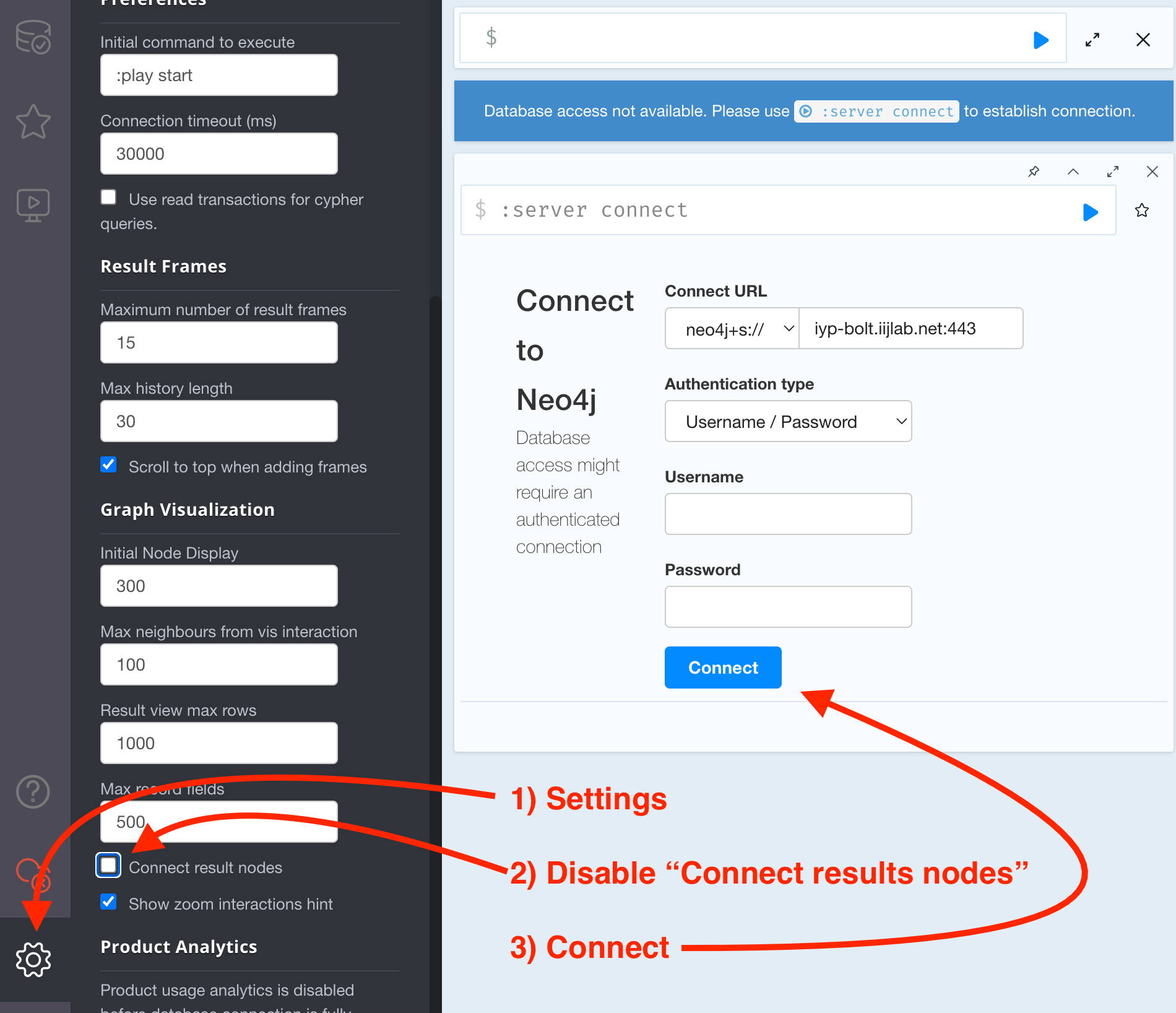
- Turn off the Connect result nodes option in the settings available from the cogwheel at bottom left (highly recommended).
- Click on the Connect button (no username or password required).
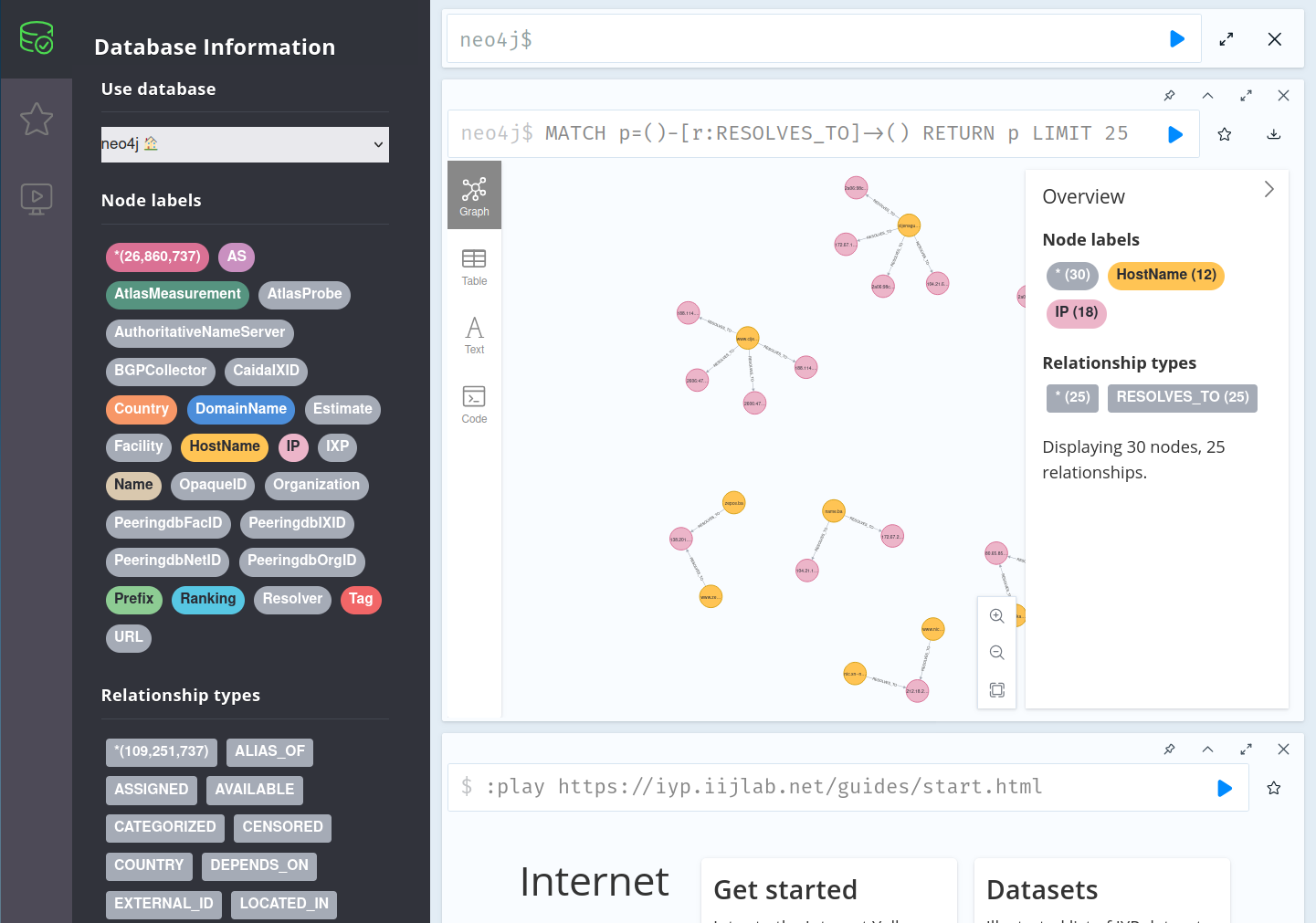
The IYP console provides a summary of the database which is quite handy when writing queries. At the top left there is a database icon that shows all types of nodes and relationships available in the database. Clicking on a node or relationship type displays some examples.
Hello world
You are ready for your first query.
Copy/paste the below query in the top input box (next to neo4j$) and click the
play button.
MATCH p = (:AS)--(n:Name)
WHERE n.name CONTAINS 'Hello'
RETURN p
You should see something similar to this (click on the node labels at the top right corner to change the node’s color and select the property which should be used as the caption of the node):
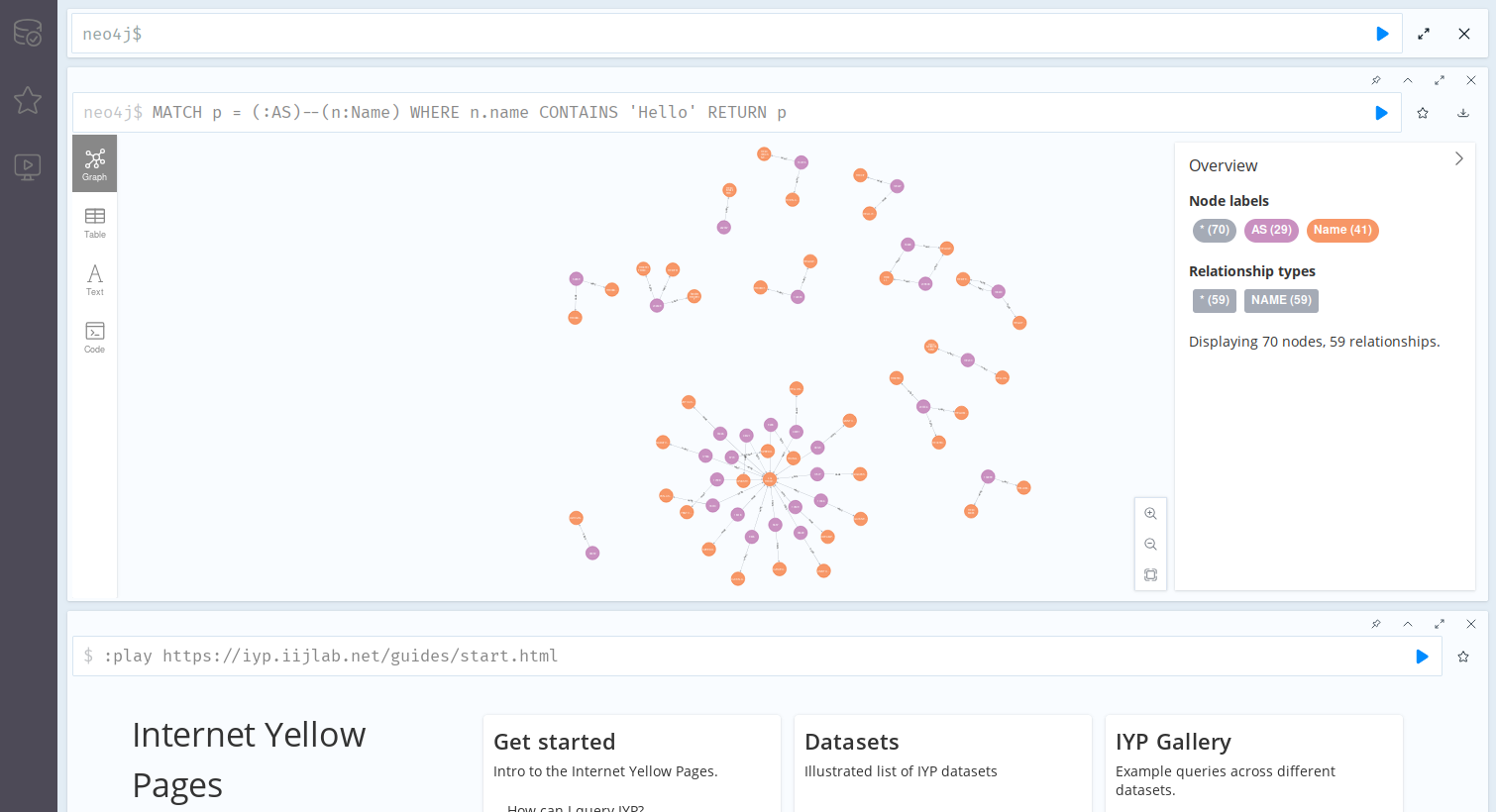
This graph shows ASes that contain the word “Hello” in their name. If you see a lot more links that means you have not unchecked the Connect result nodes option in the settings (please uncheck that option!).
Cypher 101
Cypher is the main language used to query IYP. It has some similarities with SQL but it is designed to query graph databases. That means instead of looking for rows in tables, a Cypher query describes patterns to find in a graph.
The pattern is given in an ASCII art representation where nodes are depicted by
a pair of parentheses ( ) and relationships are depicted with two dashes --
sometimes including more information in square brackets -[]-.
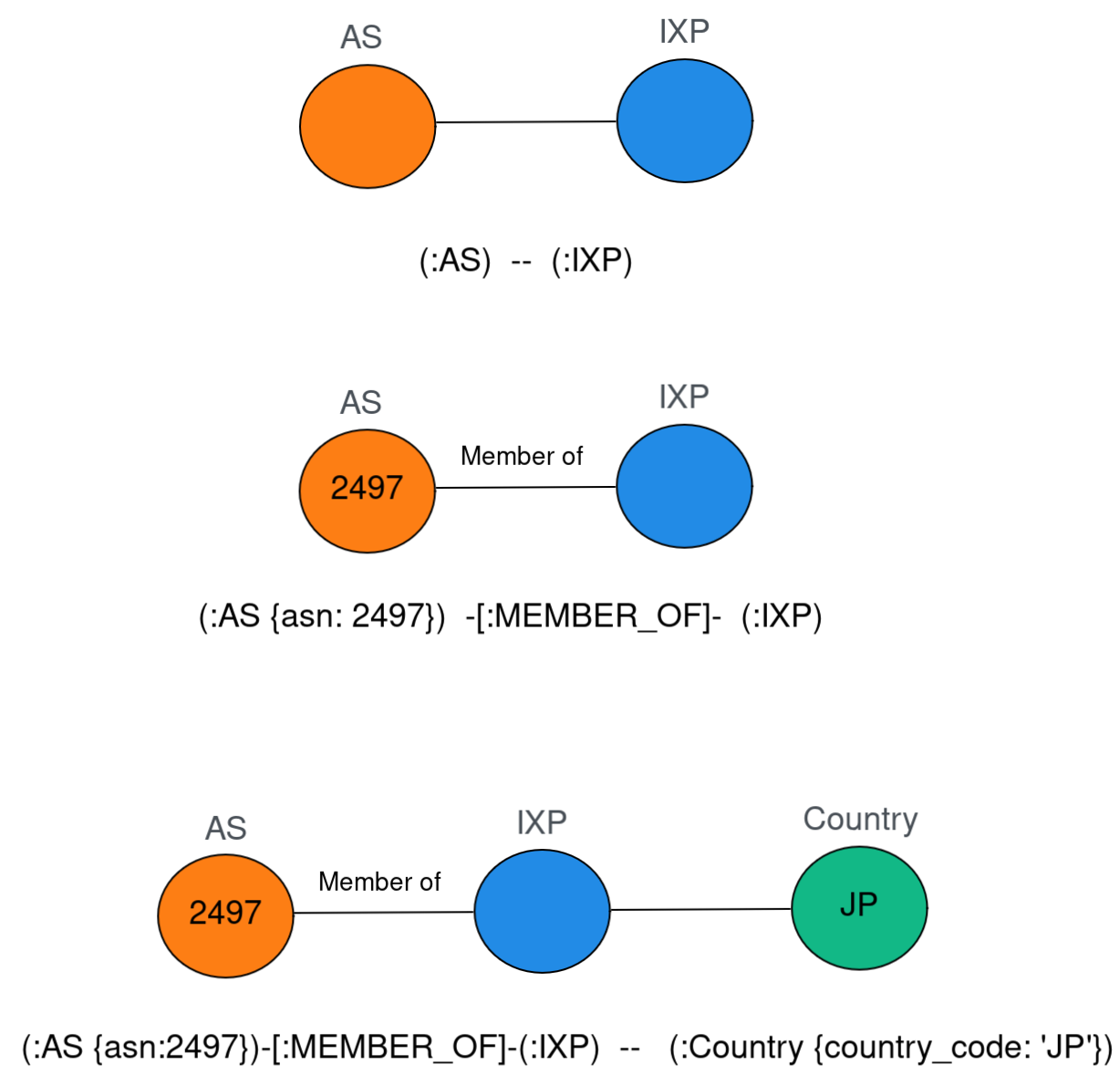
The simplest pattern we can look for is a node.
The below query finds the AS node with ASN 2497 (try it in the IYP console!):
MATCH (iij:AS)
WHERE iij.asn = 2497
RETURN iij
Now let’s see how the query works:
- The
MATCHclause defines the pattern to find in the graph. (iij:AS)is the pattern we are looking for. The parenthesis indicate that it is a node,iijis an arbitrary variable to refer to that node later in the query, and the type of node is given after the colon.- The
WHEREclause describes conditions for nodes or relationships that match the pattern. Here we specify that the node callediijshould have a propertyasnthat equals 2497. - The
RETURNclause describes the data we want to extract from the found patterns. Here we returniijthe node that satisfies both theMATCHandWHEREclauses.
Another way to specify the condition for the node property is to set it within the search pattern. For example, the following query returns exactly the same results as the above one:
MATCH (iij:AS {asn: 2497})
RETURN iij
This is a more compact form, but it does not change the result.
Slightly more complicated, the below query finds which IXPs AS2497 is a member of:
MATCH p = (iij:AS)-[:MEMBER_OF]-(:IXP)
WHERE iij.asn = 2497
RETURN p
Here (iij:AS)-[:MEMBER_OF]-(:IXP) describes a path that starts from an AS
node we call iij that connects to another node typed IXP.
Similar to the node type, the type of a relationship is given after the colon,
for example -[:MEMBER_OF]- is a relationship of type “member of”.
This query is also using a handy trick.
Instead of assigning a variable for every node and relationship in the query, it
uses one variable p that contains the whole pattern and specifies only p in
the RETURN clause.
If needed, we can assign variables to relationships and filter on their
properties.
For example, this query finds which IXPs AS2497 is a member of but not from
PeeringDB data (the operator for inequality is <>):
MATCH p = (iij:AS)-[mem:MEMBER_OF]-(:IXP)
WHERE iij.asn = 2497
  AND mem.reference_org <> 'PeeringDB'
RETURN p
More Cypher
We don’t have the intention to cover the whole Cypher language in this tutorial. Cypher contains all operators you may expect from a modern querying language, including aggregating functions, OPTIONAL MATCH for patterns with optional parts, and many other clauses.
The Cypher tutorial and Cypher documentation are the more comprehensive places you should refer to when crafting your queries.
Also, in the IYP console the :help command provides documentation to any
Cypher clause.
Try :help MATCH or :help cypher in the IYP console.
More Cypher hints
- Double click on a node in the UI to see its neighbors and links. The number of displayed nodes is limited, you can increase this limit in the settings (bottom left cog wheel).
- Add
LIMIT 10at the end of your queries when experimenting. - Add comments in your queries: Single-line comments starting with
//or multi-line comments using/* */.
A comment on code autocompletion
While typing queries in the IYP console, you will see prompts of autocompletion,
e.g., for node labels.
Please be aware that these are not intelligent and simply represent the entire
graph schema.
For example, if you start a query for an AS node and want to filter on a
property:
MATCH p = (:AS {
The console will simply show a list of all properties available in the graph,
even if they are not available for AS nodes.
In terms of Cypher this is not a problem, so this example would be a
(syntactically) valid query:
MATCH p = (:AS {country_code: 'JP'})
RETURN p
However, this query would return no results, since there is no AS node with
the country_code property.
So just be aware of this and do not rely on autocompletion too much!